Shopify Integration
Shopify is a Canadian e-commerce company based in Ottawa, Ontario, that develops computer software for online stores and point-of-sale systems for retail businesses. We have developed an integration with Shopify’s payment gateway, allowing you to process transactions in your Shopify store using your preferred payment method through PostFinance Checkout. Please follow the steps below to integrate PostFinance Checkout payments into your Shopify backend.
Enable the Shopify payment feature
Before integrating PostFinance Checkout with your Shopify store, ensure the Shopify feature is activated in your account:
- Search for Shopify Payments in the list of features.
- Click Activate.
- Click Configure to proceed with the setup.
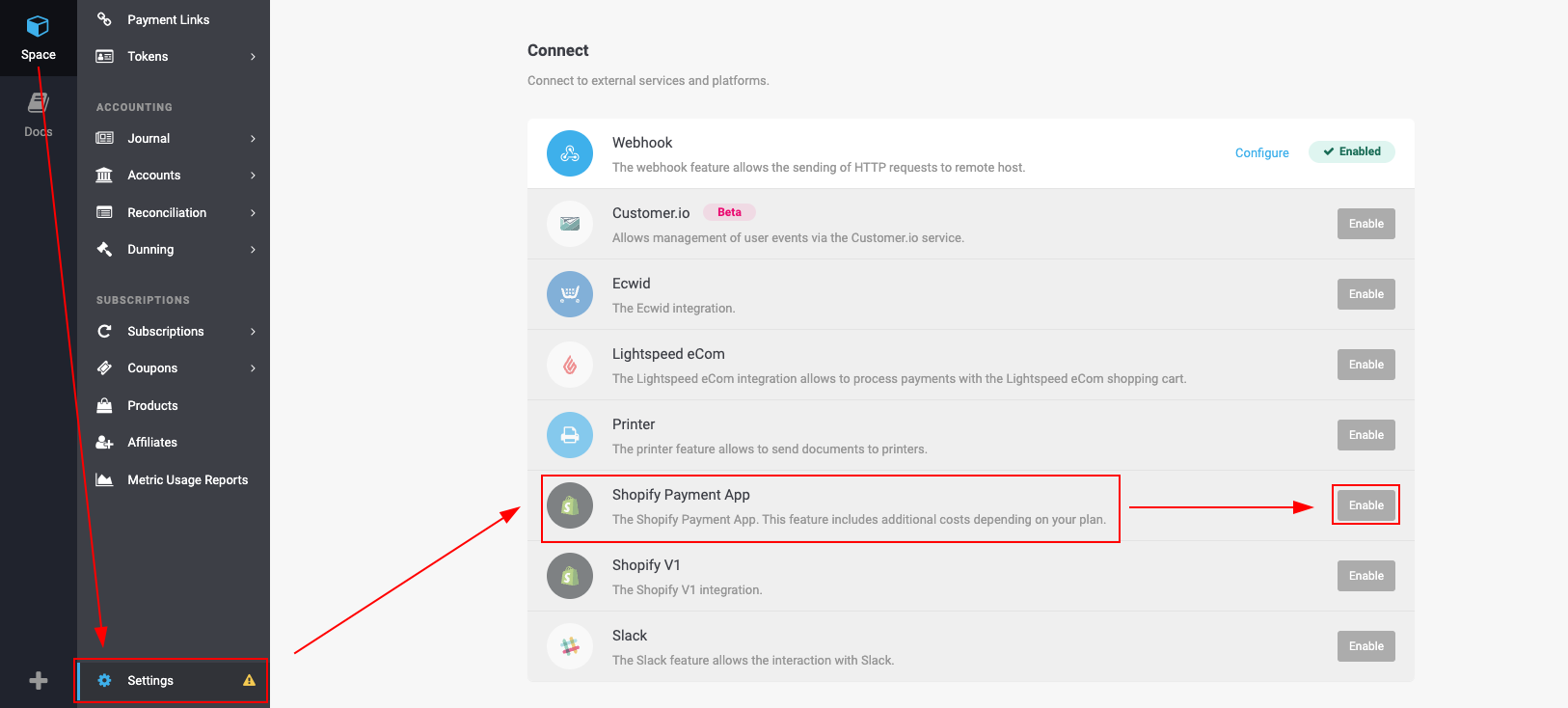
If the Shopify feature is not available in your space, please have a look at your chosen plan and validate if Shopify is included.
Create the Shopify integration
- If you clicked Configure in the previous step, you will now be on the Shopify integration setup page. If not, go to Space > Settings > Shopify Payment in your dashboard.
- Click Create Integration.
- Enter the exact name of your Shopify store as used in your admin URL.
- Example: If your store URL is myshopname.myshopify.com, enter myshopname.
- Select the payment methods you want to enable for Shopify checkout.
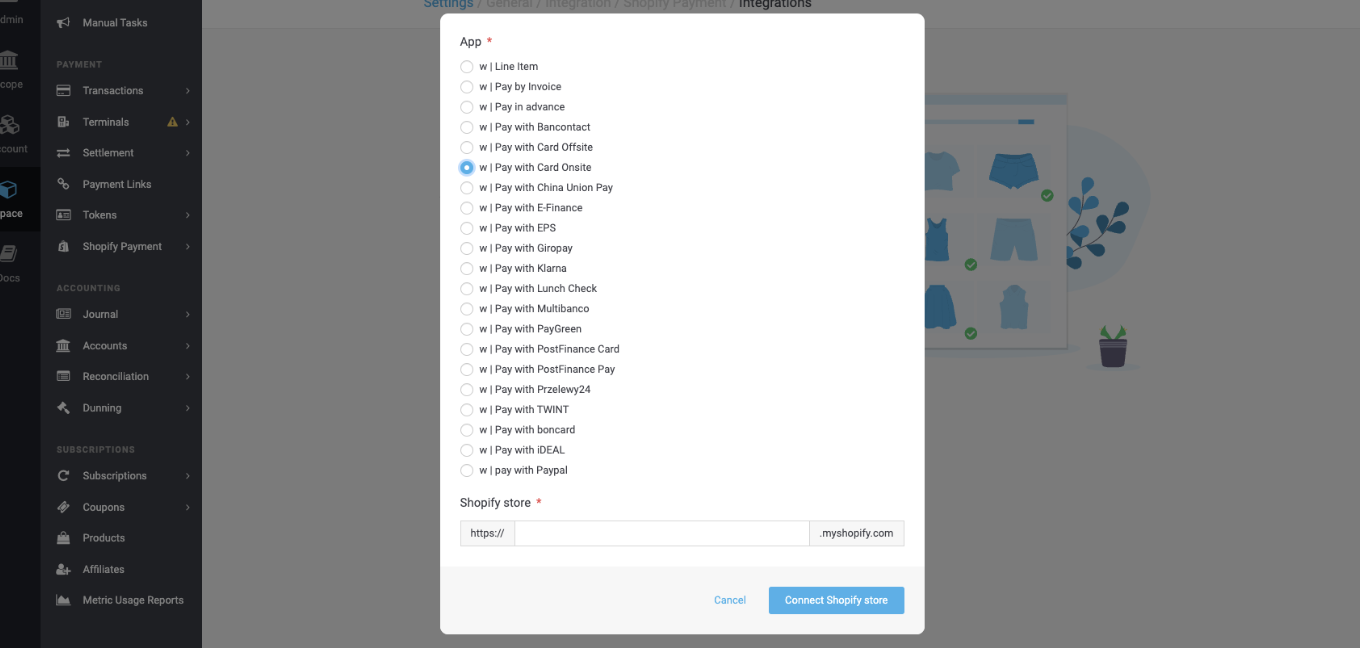
- Click Connect Shopify Store.
Line item: Activate this, if you want to have all separate items of your shopping cart listed as part of a transaction displayed in the PostFinance Checkout portal.
Pay with Card Offsite: Activate this, if you want to be redirected to a separate site during credit card payments. If you want to include Apple Pay, Google Pay and Click to Pay choose this option.
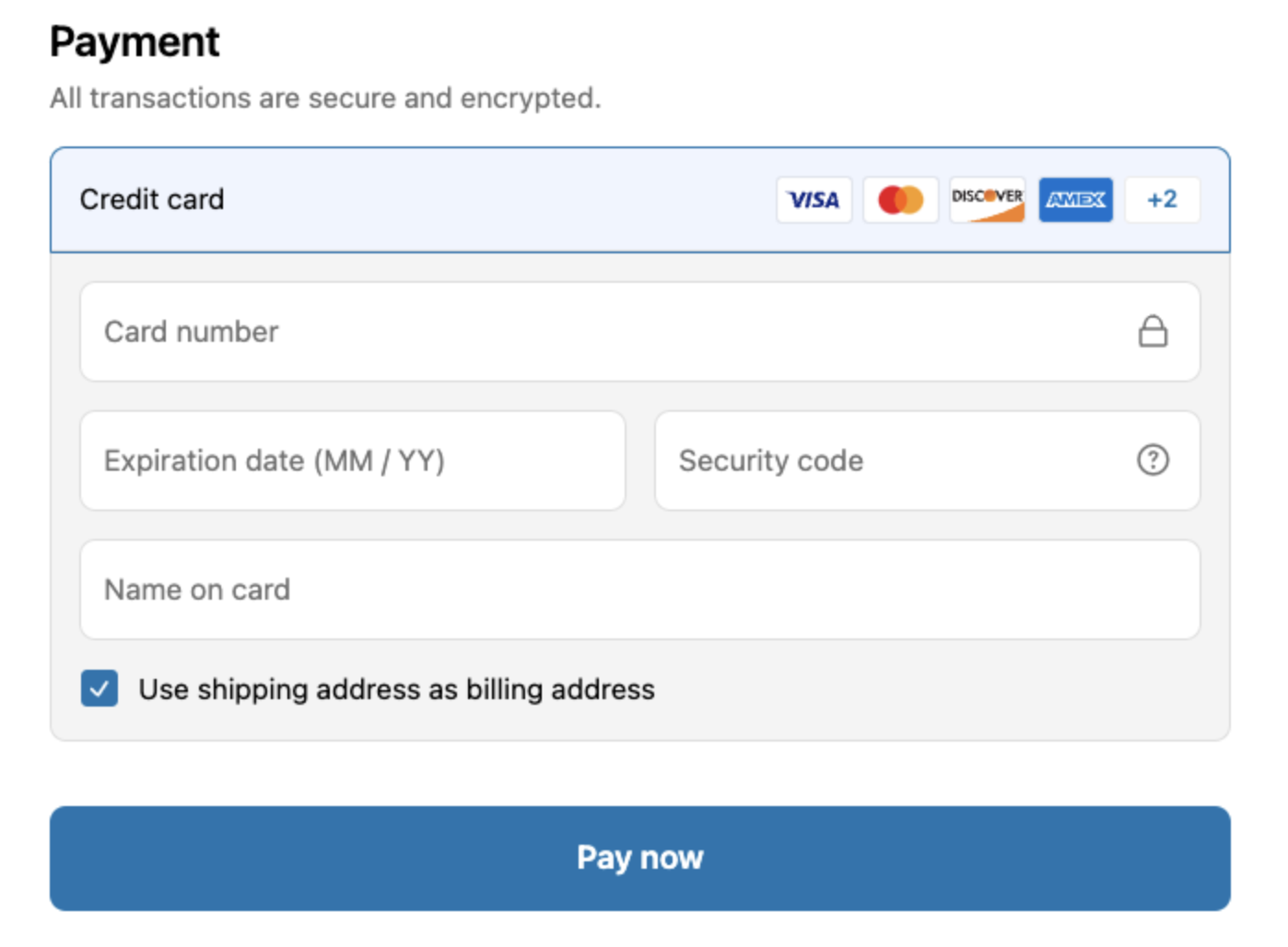
Pay with Card Onsite: Activate this, if you want your users to enter the payment details directly on your checkout site. \
Make sure you either select Offsite or Onsite. We don't recommend setting up both.
Repeat these steps for every payment method you want to integrate.
Install the PostFinance Checkout Shopify app
- After clicking Connect Shopify Store, you will be redirected to your Shopify admin panel.
- The integration will now be added to your Shopify store.
- Follow the on-screen instructions to complete the app installation.
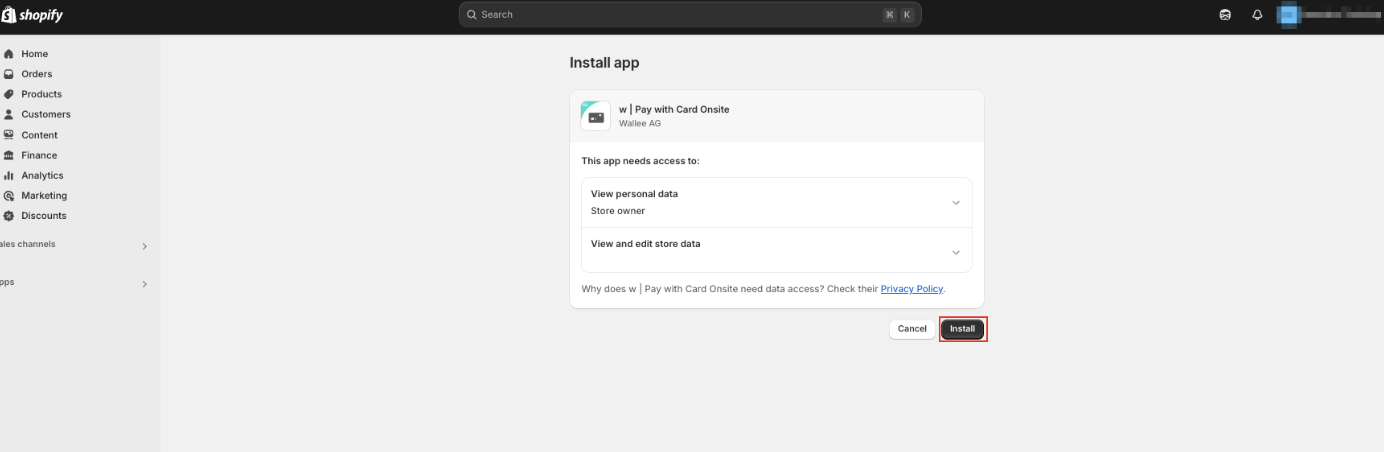
To install more payment methods, click here.
Activate the payment integration
- After installation, you will be automatically redirected to the payment settings. If not, navigate to Settings > Payments in your Shopify admin.
- Locate PostFinance Checkout Payments in the list of available payment providers.
- Click Activate to enable PostFinance Checkout as a payment method.
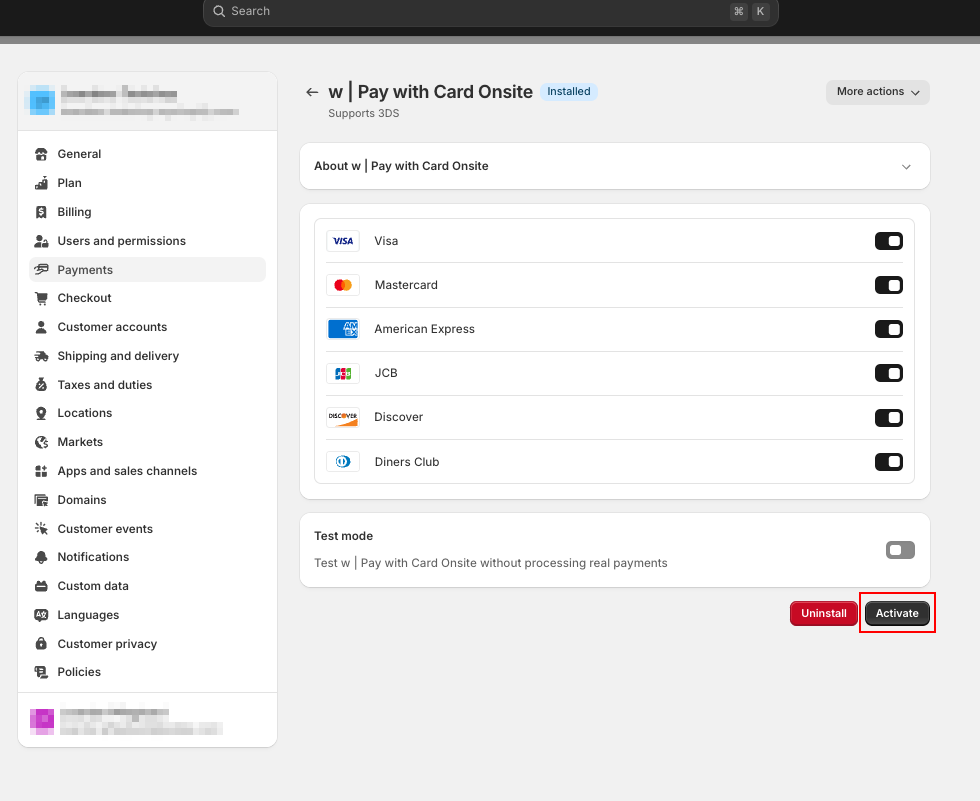
- Adjust any additional settings according to your preferences.
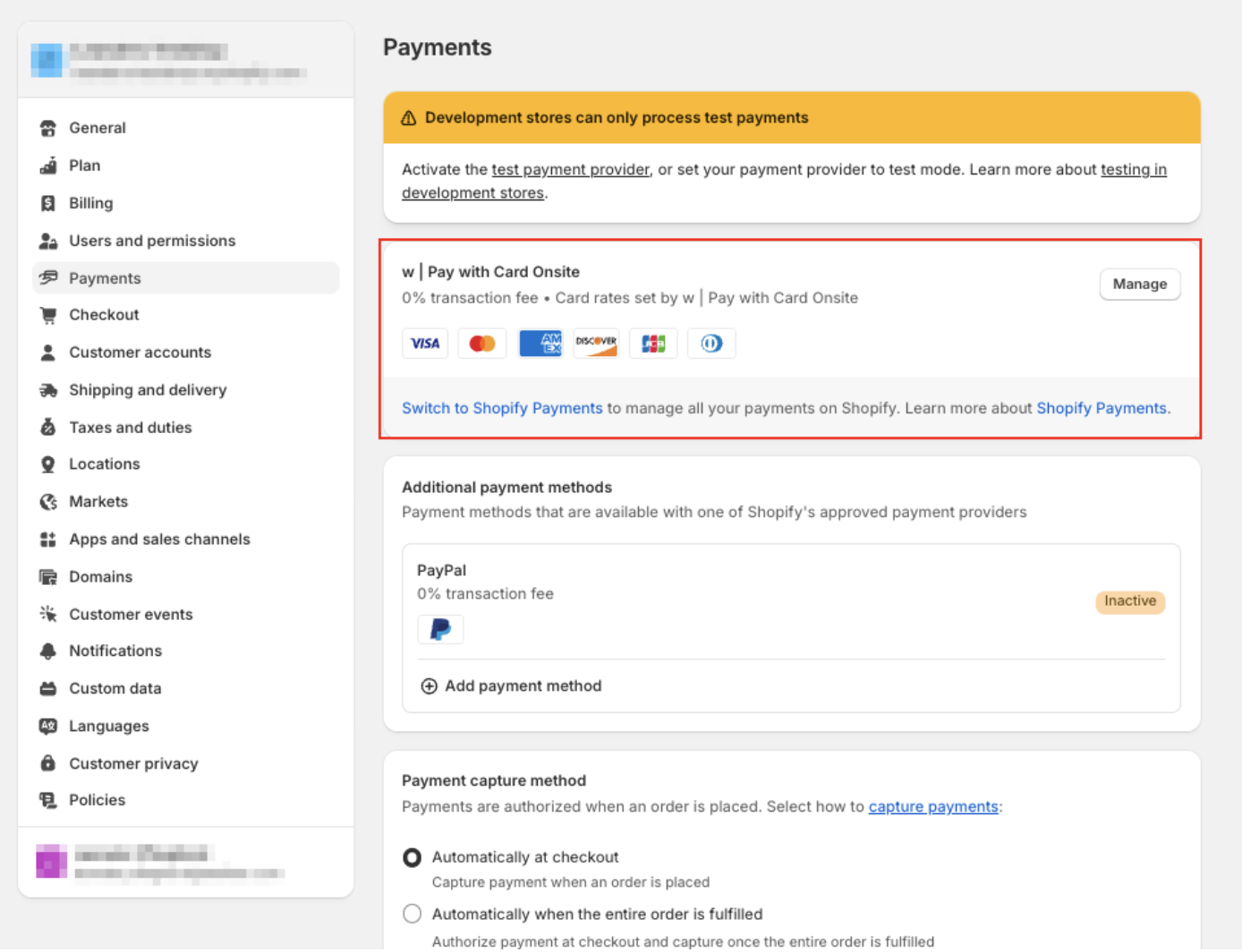
Final confirmation
You have successfully installed and activated the PostFinance Checkout Shopify Payments integration. PostFinance Checkout should now appear in your Shopify payment settings and be available as a payment option during checkout.
Related topics
- Integration with PostFinance Checkout — payment processing, the state graph and transaction management once the integration runs.
- Payment Methods — the methods you can offer in the Shopify checkout.